Skip to content
Work

titkar.ai

A financial assistant that needs one sentence.

June 5, 2026·14 min readHeavy on jargon? Read it in plain words, rewritten by AI.

In your head, an invoice is one sentence: ten hours of dev work for Várda Consulting. On screen it's a form: partner, line items, VAT rate, payment method, dates. The invoice is already finished in your head; you just have to click through the form. And the invoice is only the start — after it comes the question of who's paid you, what you owe, whether the VAT adds up, and what your accountant needs at month's end.

Számlázz.hu and Billingo are everywhere, and people like them. The question isn't whether there's demand for invoicing, but why you still have to fill in the same fields by hand — and why invoicing, receivables, the bank and the VAT all live in separate software. Hence the idea: instead of filling in a form, you just tell a secretary, and it handles the paperwork.

There's a catch, though. An invoice isn't a chat message. It's a legal document the system reports to the Hungarian tax authority (NAV), and once issued there's no undo, only a formal reversal. For a financial assistant, trust isn't a later feature; it's the foundation. That decides what gets built first.

What it is, and what isn't yet

The opening screen promises one sentence, and today that sentence is enough. The assistant looks up the partner, assembles the line items, works out the VAT, and shows you the preview that you issue. In test mode you can run the whole thing with no real invoice and no risk.

But invoicing is only the way in. Today the assistant also sees your incoming bills — the ones you pay — reconciles your bank statement against both outgoing and incoming invoices, estimates your VAT balance, watches the filing deadline, and sends the monthly bookkeeping package to your accountant with one tap. It handles the clear cases on its own and raises the ambiguous ones with you.

Behind it sits the Számlázz.hu integration, encrypted key handling, the invoice state machine, the full design system. The conversational layer is the showy part, but the product's reliability rests on what sits beneath it — so that came first.

Still missing or half-built: voice input, Billingo as a second provider you can also issue through, and automatic central-bank exchange rates for foreign-currency invoices. The core stands, though, and you can try it — the product is in alpha, and a few capabilities are deliberately behind the paid plans or behind automation you switch on by hand.

titkar.ai
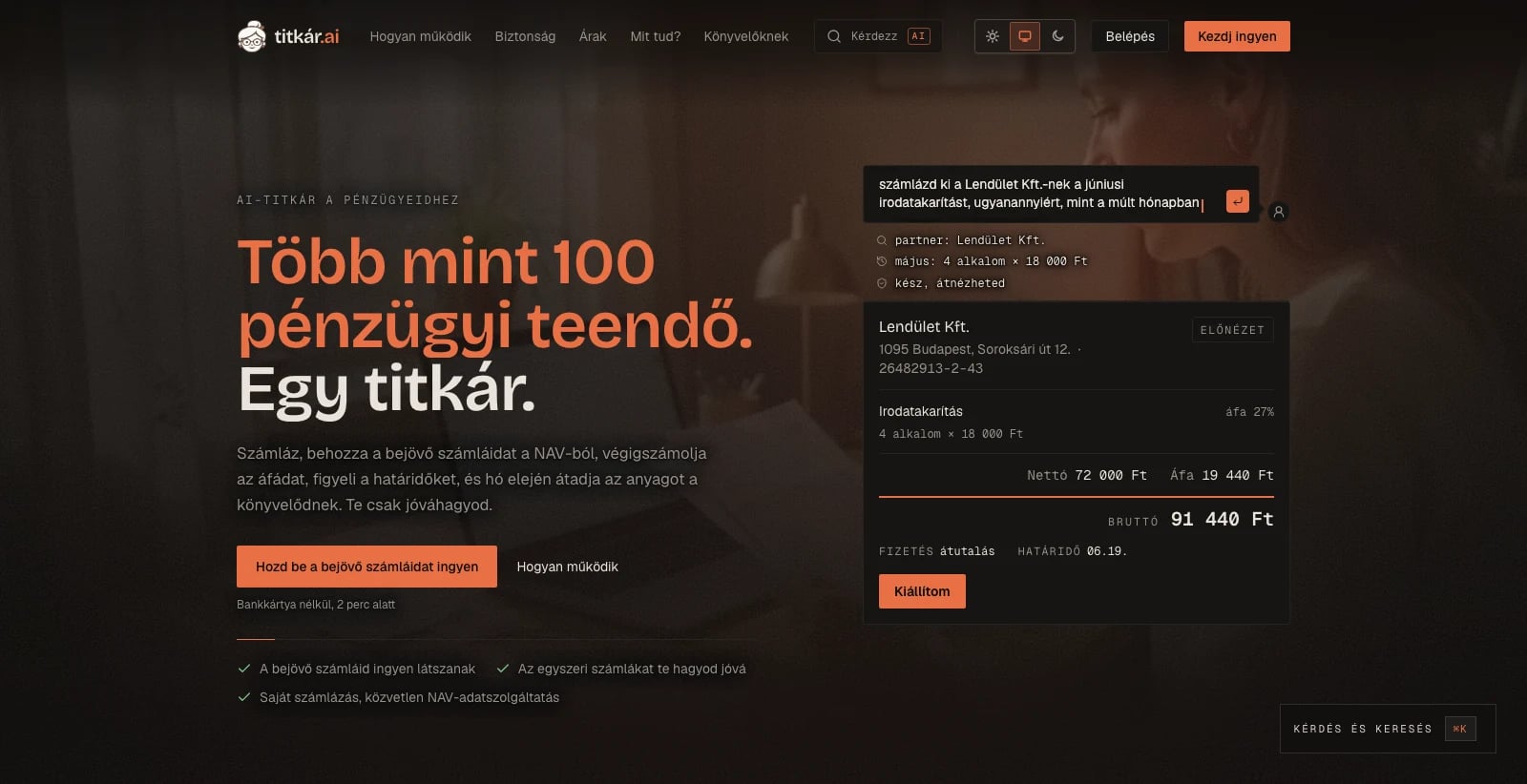
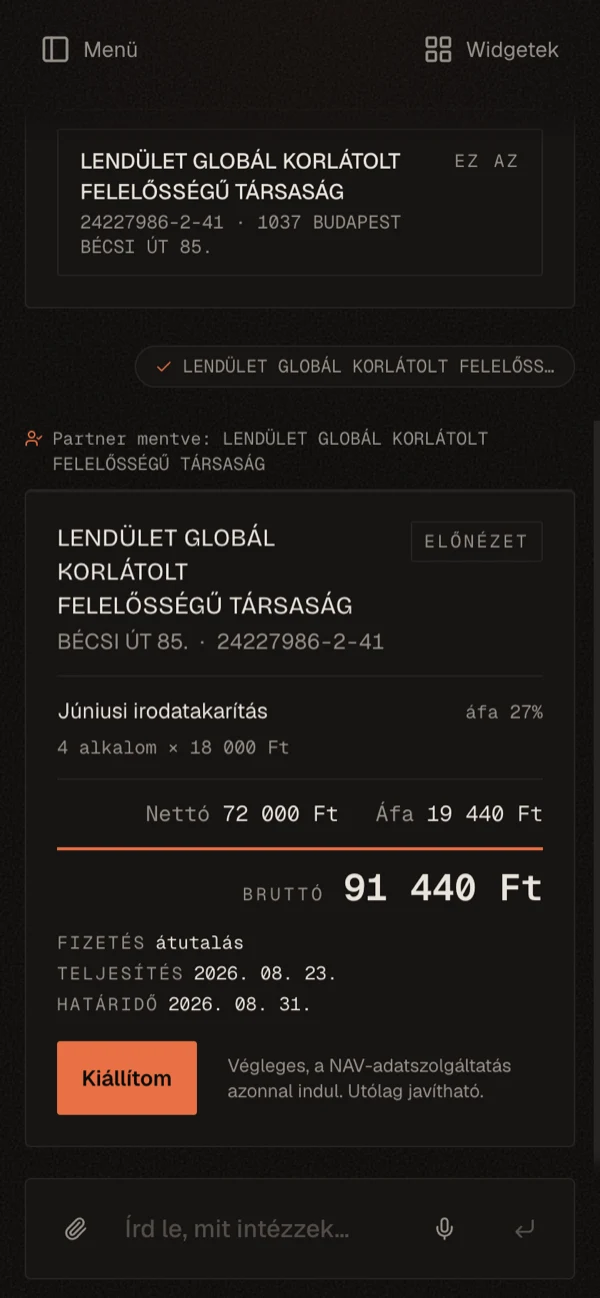
The landing on desktop, the finished invoice preview on mobile

The interface as it stands today

After signing in, a single screen greets you: the assistant. It asks for one sentence and offers a few examples of what you might write. Up top, the "test mode" badge — the default, so you can try everything without a real invoice or any risk. No maze of menus, no form tabs: the whole interface is focused on the one sentence the invoice — or any other task — will come from.

titkar.ai
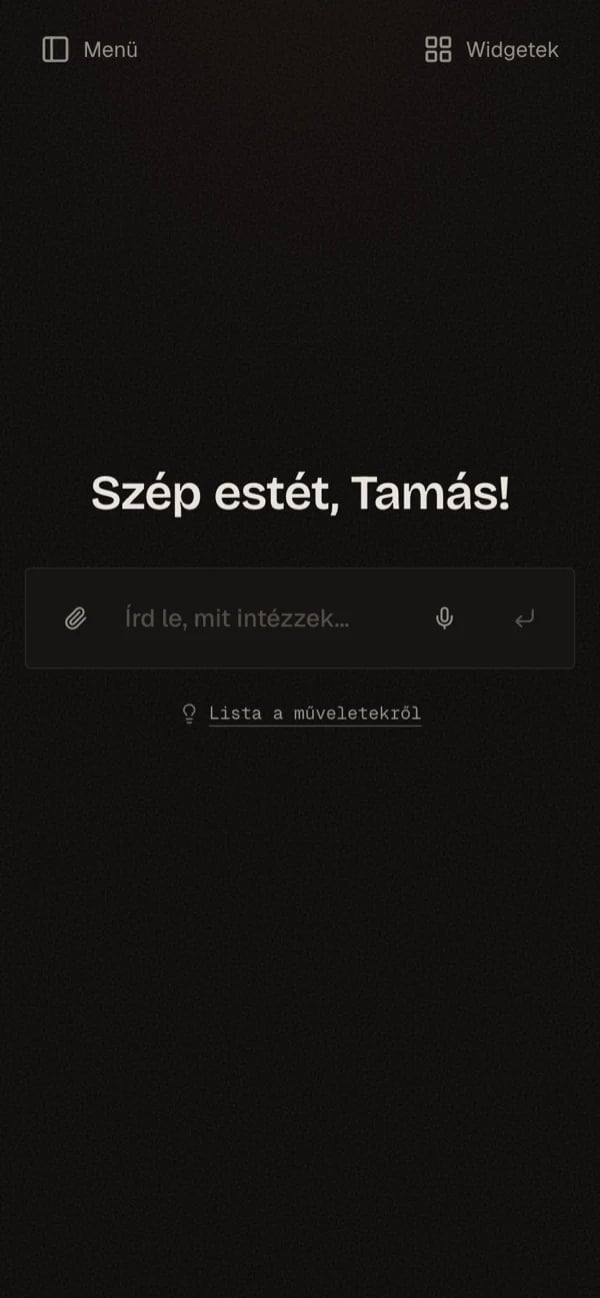
The assistant after sign-in: one sentence, a few examples, test mode

The conversation that writes an invoice

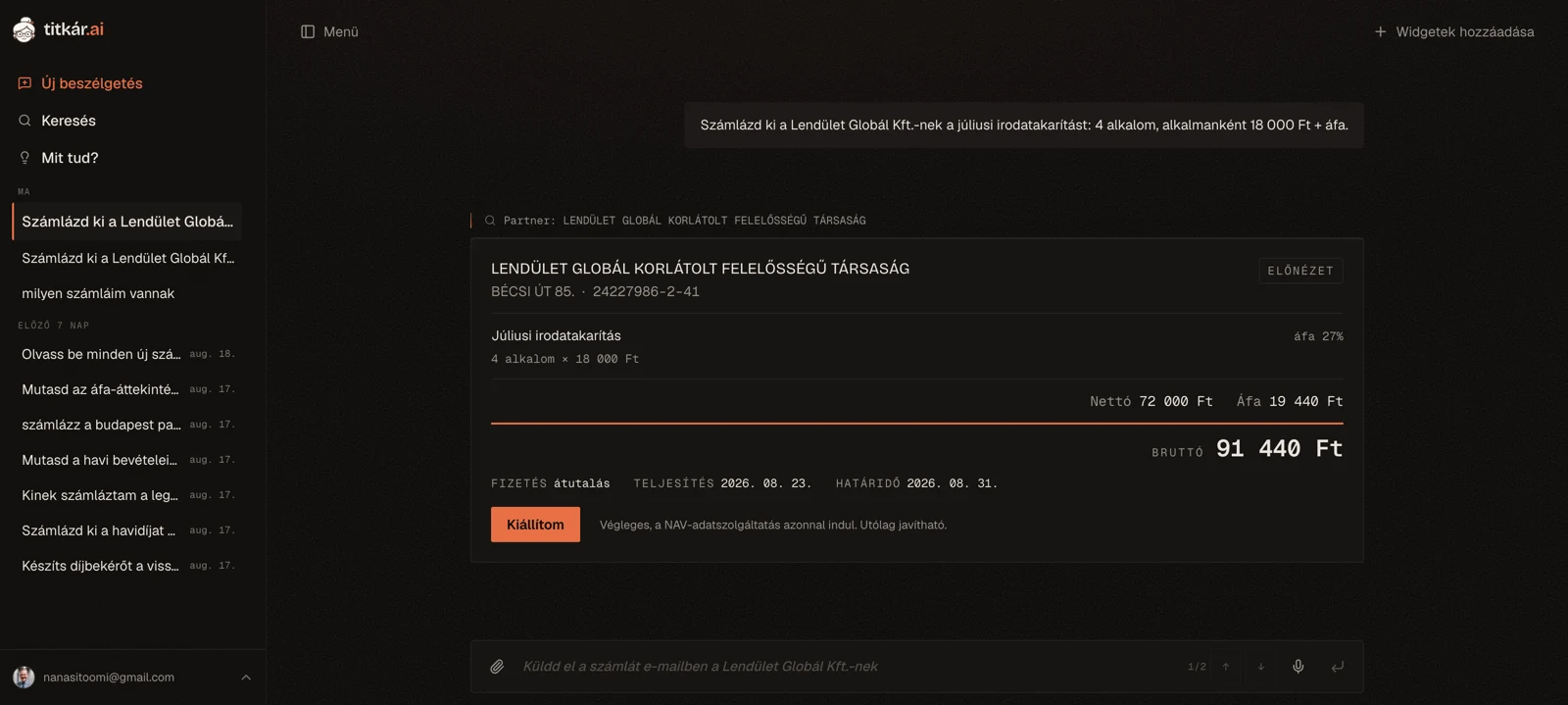
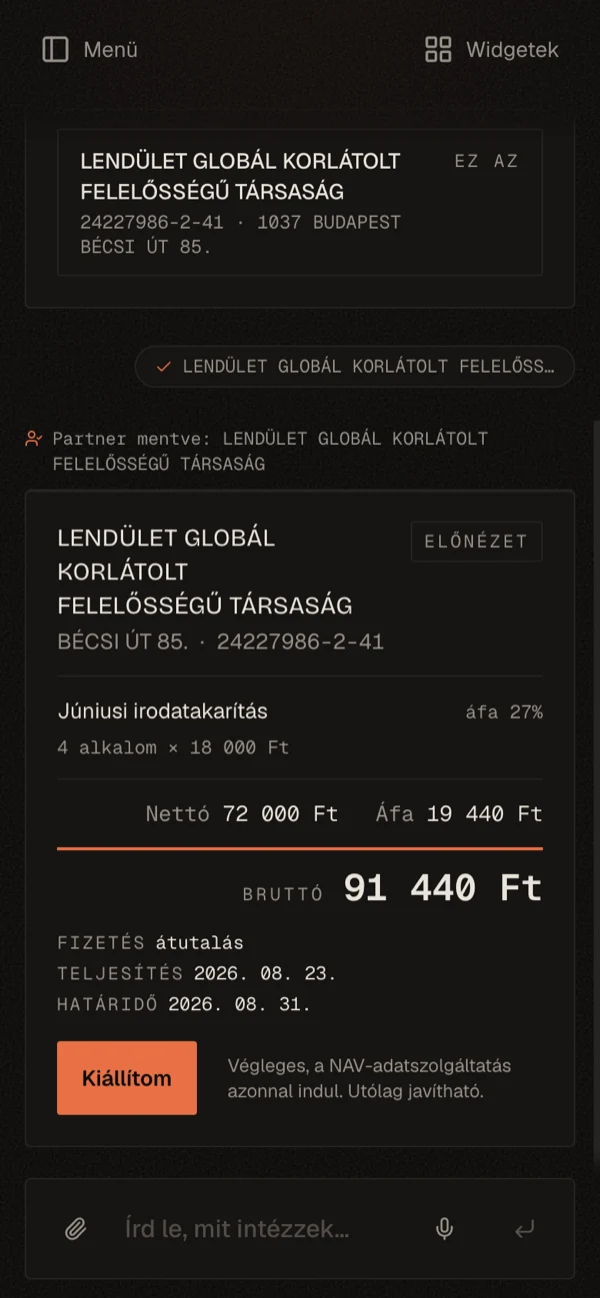
An example of how it works today. I type: "Invoice Várda Consulting for 10 hours of dev consulting at 18,000 Ft an hour." Up top the assistant notes it pulled the partner from memory; below, the preview card builds itself. Buyer, the line's net, VAT and gross, payment method, due date — each spelled out, nothing hidden before you commit. And if a photo is easier than typing, it reads one too: snap a contract line or a screenshot, and it pulls the items out and carries them to the same preview.

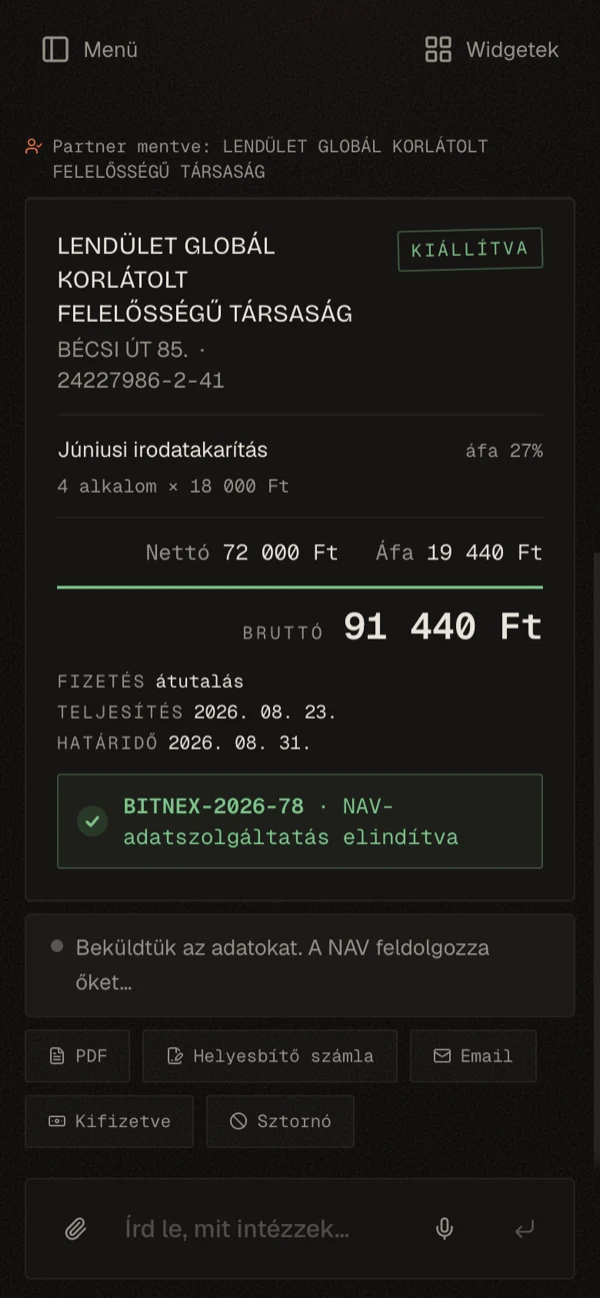
Issuing is a separate, deliberate step. Up to the "Issue to NAV" button it's all a draft; after it the card flips to issued, the invoice number appears, and so does the confirmation that the system reported it to NAV. The same path runs on a phone: from the sentence through the preview to the issued, reported invoice.

titkar.ai
The preview card: Várda Consulting's invoice, every line with net, VAT and gross
The flow on mobile: empty assistant, preview card, issued and NAV-reported invoice

The rest of the invoicing lives around issuing in the same rhythm: say it, review it, confirm it. A proforma that becomes a final invoice once paid; a receipt; a corrective invoice when something needs fixing, and a reversal when the whole thing is wrong. Recurring invoices for the monthly fixed fees, and bulk issuing when the same invoice goes to several buyers at once. Sending starts here too: the invoice by email with the PDF attached, and a payment reminder for the late ones.

The other half of the money

Invoicing is only one direction — the larger half of the money moves on the incoming side, and the assistant watches that too. It syncs with NAV every six hours, so whoever invoices you, from whatever software, it notices the new bill without being asked, pulls in its line items, and proposes a bookkeeping category — learning per supplier from what you've approved before. Foreign platform invoices that look like reverse-charge cases (Google, Meta) it flags separately.

Your bank statement — the one you export from your online banking — it reconciles against your invoices: a customer payment to the outgoing invoice, your own transfer to the incoming one. A confident match it marks paid on its own; the uncertain ones you approve on a card, and partial payments are booked too. So your receivables and payables stay current by themselves, with no spreadsheet to keep.

On top of that picture sit the VAT and the accountant. The assistant gives an indicative VAT-balance estimate (the VAT you owe on sales, less the deductible VAT on purchases), compares two periods, forecasts your liquidity 90 days out, shows your monthly result (revenue minus costs), your cost breakdown and the aging of your receivables with each client's payment behaviour, and emails the monthly bookkeeping package to your accountant — on request, or automatically at the start of each month if you switch it on. From the reconciled incoming invoices it also drafts an eVAT analytics draft and tax-code suggestions; that's decision support, not tax advice, and filing on NAV's surface stays your job.

titkar.ai
A pre-coding suggestion on an incoming bill: category and deductible VAT, waiting for your approval
titkar.ai
Bank reconciliation: statement transfers matched to invoices, with you approving each match

What happens on its own

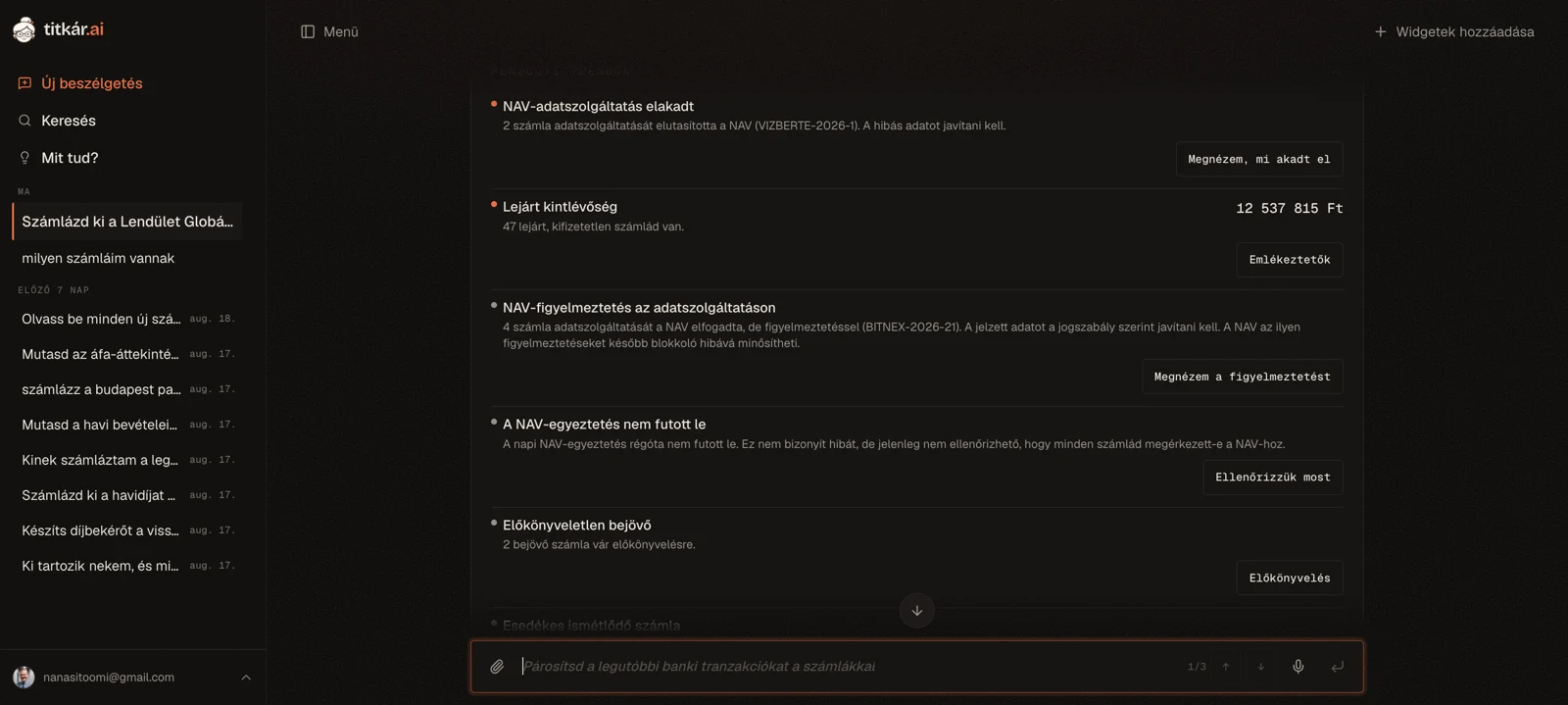
A good secretary doesn't wait to be asked for everything. The financial control layer gathers the open tasks onto one card — overdue receivables, an unmatched transfer, an un-coded incoming invoice, a looming VAT deadline — each with a one-tap action that resolves it. You can ask "where do we stand?", but it surfaces them unasked too when there's something to watch. Your filing frequency (monthly, quarterly, yearly) becomes a precise NAV countdown, and when a task's status changes, it emails a morning summary on a working day — but only if something changed. The same place holds what you ask it to remember for a given day — "remind me about the chamber fee on the 20th" — and a deadline calendar lays the coming weeks' financial dates on a timeline: customer payments, your own dues, VAT filing, recurring invoices.

What holds this together isn't command-following, it's context. The assistant works not from the words of your sentence but from your whole account: in "make a proforma from the one I invoiced for 200k on the 5th of last month," it finds what you meant with no invoice number and no buyer named. From one sentence it orchestrates several steps: "let's close the month" reviews the open tasks, builds the VAT picture, and packages it for the accountant. It searches back through your invoices, remembers your habits, learns from your approvals, and pulls missing data from NAV or the company registry.

titkar.ai
Financial tasks on one card: overdue invoices, an approaching VAT deadline, incoming items awaiting reconciliation — each with a one-tap action

The hard part is underneath the AI

The Számlázz.hu Agent API speaks XML, in a fixed field order, validated against an XSD. Hungarian VAT runs from 0 to 27%, plus the text codes (AAM, EUT, TAM and the rest) that all resolve to 0% for different legal reasons. Rounding is currency-aware: integers for forint, two decimals for euro and dollar. The most common error codes are each translated into a sentence a person can read, and the list grows. Then a taxpayer lookup against NAV's registry to confirm the partner is real.

This engine isn't flashy, but it's what has to work first. That part is done. It's also built so the product isn't tied to a single vendor: the layer above doesn't talk to the vendor directly, but through its own internal interface. Számlázz.hu first, Billingo next.

The numbers never come from the language model: net, VAT and gross are computed in deterministic code; the AI's job is understanding and picking the right operation. And where a request looks off — an outlier amount, a brand-new buyer, a VAT rate that breaks the pattern, or an edit to an already-paid invoice — the assistant stops before issuing and asks. It won't carry out a risky or non-compliant request without comment; it proposes the compliant path instead.

The agent as a system

Behind "say it and it's handled" sits a toolkit: over eighty distinct operations — invoicing, proformas, receipts, partner lookup, bank reconciliation, recording payments, VAT and accountant exports, handling incoming bills — grouped by area and gated by plan (the more advanced ones open on the paid tiers). The model doesn't "know" how to do these; it chooses among them. Its job is understanding and picking the right operation, not the mechanics of carrying it out.

The risky operations follow a separate pattern. The model doesn't issue an invoice, send an email, fire a reminder or reverse anything — it prepares a confirmation card, and the actual step is fired by the card's button, which is your hand. So the worst a model slip can do is produce a bad draft, not a bad invoice reported to NAV. The irreversible operations also pass through a stricter, separate check.

To understand what you mean, the model gets context from two directions. With every request it's handed a compact business snapshot — how many invoices are overdue, who owes you, whether month-end is near — which tunes its suggestions to your actual situation, not just the conversation. In exchange, the old, bulky tool results from long conversations are swapped for a short marker before they reach the model: the data stays in the background without bloating the context window, and if it's needed again the model fetches it again.

Not every request is equally hard, so they don't all go to the same model. Routine invoicing runs on a fast, cheap one; an ambiguous partner lookup or a many-line, error-correcting case goes to a stronger one — the latest message decides, and the models swap from one config line, no code change.

Routing — making the right sentence trigger the right operation — is too important to take on faith. There's an eval for it: it runs the high-stakes cases against the real language model, several times each because the model isn't deterministic, and it demands a stricter pass rate on the more critical decisions. The same entry point assembles the model, prompt and tools for the eval as in production, so I measure the production path.

And it remembers. The fixed invoicing defaults — usual VAT, payment term, currency — it applies in a typed, deterministic way; the looser facts (a client always wants euro, a project number has to appear) it keeps across conversations, and it learns from your approvals, asking less about bank matching and bookkeeping codes month over month.

Designing for trust

In the code the design system is called the midnight ledger: dark, warm, quiet. Something you sit with every day shouldn't shout.

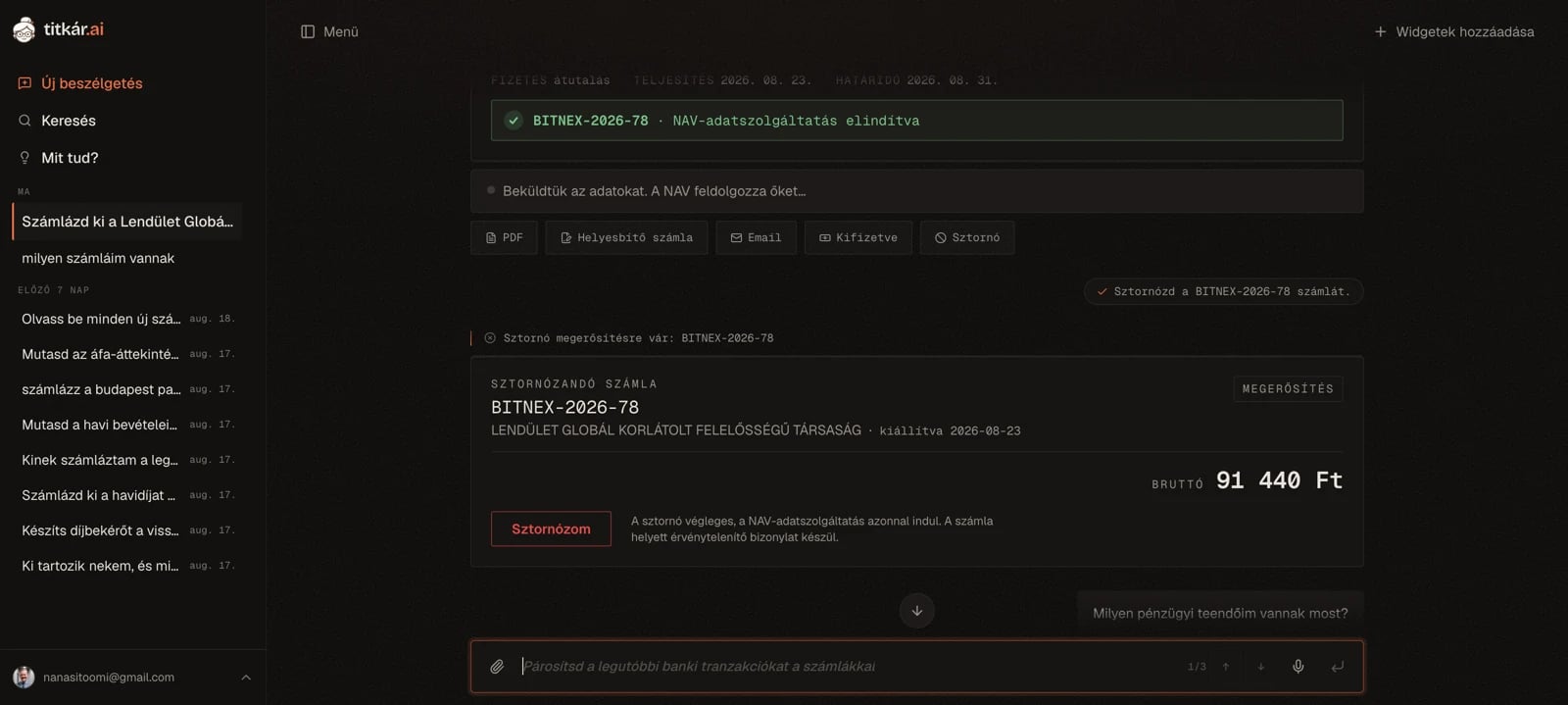
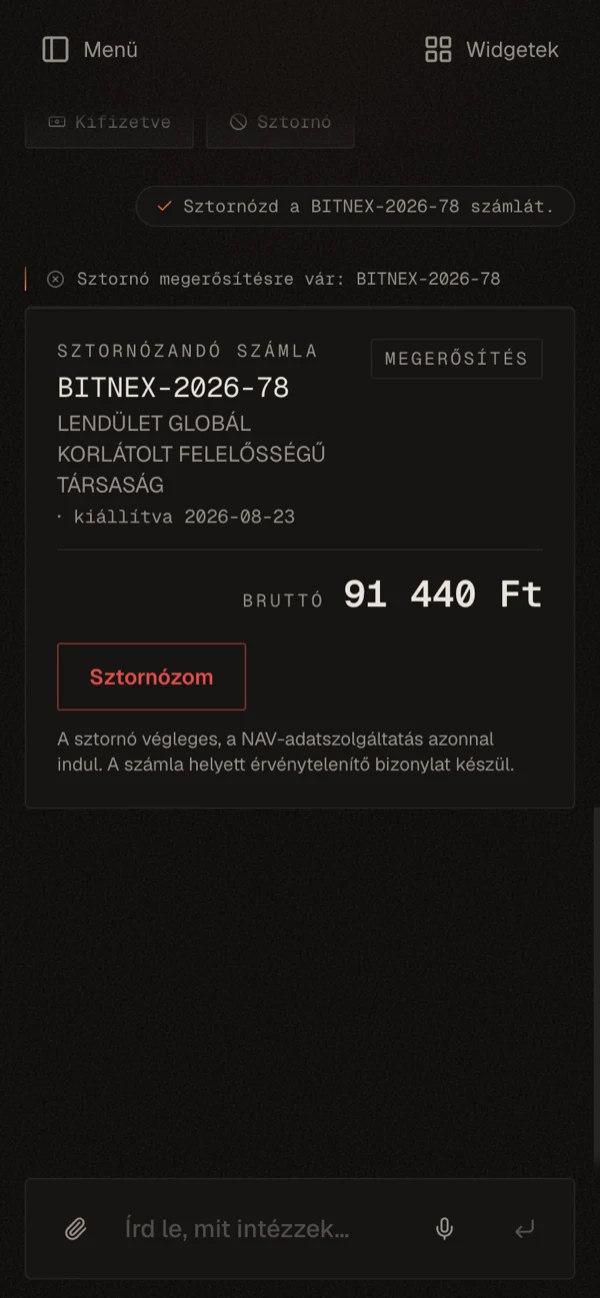
Color is semantic, and I spend it sparingly. Amber for action and confirmation. Sage green for an issued invoice. Ochre for missing data. Red is reserved for one thing: the irreversible, meaning going live or a reversal. When red always means "this can't be undone," the interface stays credible.

Numbers are set in mono, so a tax number looks like a tax number. The preview card spells out net, VAT and gross for every line, so nothing is hidden before you commit. The assistant proposes; issuing is your call. Test mode is the default, so you can try it with no real invoice and no risk.

The same principle keeps the intelligence in check. The assistant sees a lot and knows a lot, but by default it issues nothing and sends nothing on its own: invoice, proforma, email, reminder — all wait on a confirmation card. It has no write access to your money: you hand it the bank statement, it proposes matches, it can't move a forint. Automation (recurring issuing, the monthly accountant package) is something you switch on, and off, whenever you like. And every step is reviewable in the account's activity log.

titkar.ai
The reversal confirmation card: red belongs only to the one irreversible action

Under the surface

The Agent key stays encrypted at rest with AES-256-GCM and is decrypted only at the moment of the call; it never reaches the browser or the language model. Every invoice starts as a draft and moves through a state machine: draft → awaiting confirmation → issuing → issued or failed. Each transition is written to an append-only log. An idempotency key (account plus line reference) guarantees a retry never issues twice. That's the one mistake you can't make with a tax authority.

The connection stays with the user too: you wire in your own Számlázz.hu key, pick test or live mode, and from there your invoice history builds in the conversation as well. For the incoming side it watches NAV's Online Invoice system, and the bank layer is read-only — reconciling a statement never touches your money. The account is protected by two-factor sign-in.

Rate limiting guards against abuse; if the limiter itself goes down, the system lets requests through rather than stalling. Errors come back as a readable message, not a raw stack trace, while in the background an error monitor records them so I can see what broke and where. The proactive side runs on a schedule: it syncs with NAV every six hours, and the task digest and recurring invoicing run on their own timers. The stack: Next.js 16, React 19, Postgres with Drizzle, Better Auth; it runs on Railway, in the EU region.

titkar.ai
The connection: your own Számlázz.hu key, the test/live switch, and NAV history

Where it stands now

The product is in alpha, but it isn't a sketch. From one sentence you can today run the whole path — in test mode, with no real risk — from resolving the buyer through the preview to the NAV-reported invoice, and back, with a reversal. Both sides of the money sit in one place: outgoing invoicing, incoming bills, bank reconciliation, the VAT estimate and the monthly accountant package. Underneath: over eighty distinct operations, two-tier model routing, eval-covered tool selection, an append-only log and an AES-256-GCM-encrypted key. What's paid or automatic is deliberately so: the free plan caps usage, and recurring issuing and the accountant package only run on their own once you switch them on.

What's next

Voice input: you'll be able to say the draft out loud, but the final truth stays the visual preview and the nod before issuing. Billingo as a provider you can also issue through — the engine already isn't tied to a single one. And automatic central-bank exchange rates for foreign-currency invoices.

The conversational layer isn't the future; it's the present. The language model is already on — and it could only go on because everything it might get wrong was built first.

The invisible part

The promise is one sentence: say what needs doing, and the rest is handled. Most of the work is making that sentence safe to say.

Wiring a language model to an invoicing API is the easy part. The hard part is that here "the rest" includes a tax authority, a bank, and your accountant — and handing all of that to the assistant while the control stays entirely yours. Even so, telling it should still be enough.

There's always a next level.

If you like what you see (whether you're building a product or a team) I'd love to hear about it.